Print labels without
the vendor app.
QR links, guest Wi-Fi, inventory tags, and plain text. Made locally from your terminal. No cloud. No printing account.
Free and open source · B1 over Bluetooth LE is hardware-tested · Monochrome
See the label before you print.
Create a PNG without connecting a printer. This walkthrough shows actual thermark output with public demo data.
thermark qr --url "https://example.com" \
  --text "Hello, label!" --model b1 \
  --label 50x30 --save hello-label.png \
  --no-print
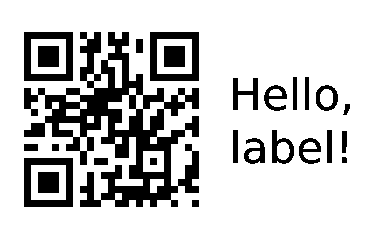
50 × 30 mm · 384 × 240 px · rendered PNG
The demo is an animated command walkthrough with a pre-rendered image; it does not execute commands or connect to a printer. Exact text appearance depends on the chosen font; this preview uses the embedded DejaVu Sans font.
From install to your first label.
One command on macOS
brew install kahwee/thermark/thermarkApple Silicon and Intel. Prebuilt BLE binary; no Rust compiler needed. Linux users: choose a release download above. With Rust installed, use cargo install thermark --locked from crates.io (Rust 1.99+; registry versions may lag GitHub). Install, upgrade, and Linux prerequisites.
Find your B1
thermark scan --save
thermark doctor --use-config
Turn on the printer, load 50×30 mm labels, and quit the vendor app. Allow your terminal Bluetooth access when prompted.
Make something useful
thermark qr \
  --url "https://example.com" \
  --text "Hello, label!" \
  --label 50x30
Use the actual size of your label roll. Preview first with --save hello.png --no-print.
Small labels. Useful jobs.
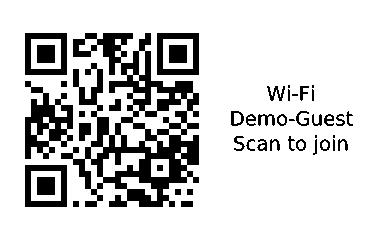
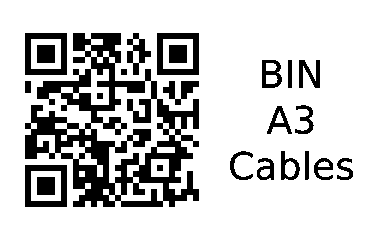
Rendered previews. Physical print quality depends on your printer, media, and power.
Choose your next label.
Make equipment manual links, return instructions, name badges, storage labels, packing reminders, or batch tags. Every recipe includes a rendered preview and a command you can run offline.
Explore eight label recipes ↗Help test the first label.
Own a B1? Try installation, render a preview, and print one QR label. Successes and setup failures both help.
Own a different printer?
B1 over BLE is hardware-tested. USB serial, B1 Pro, B21 Pro, D11, D11_H, and D110 paths are experimental and require --allow-experimental. B18 geometry is known, but its print task is unresolved.
A real print report helps us expand support. Share the model, firmware, label size, connection, and results from public demo content.
Report a printer test ↗