Rust · Ratatui · terminal interfaces
A data grid that feels at home in your terminal.
Define typed columns, pass records, and forward input. Ratagrid gives your Ratatui app sorting, selection, search, resizing, and pagination.
22-second tour
Sort. Resize. Browse.
This is an actual terminal-output recording rendered into video, not a native iTerm screen recording. It contains only synthetic records. No desktop or account information was captured.
Walkthrough transcript and controls
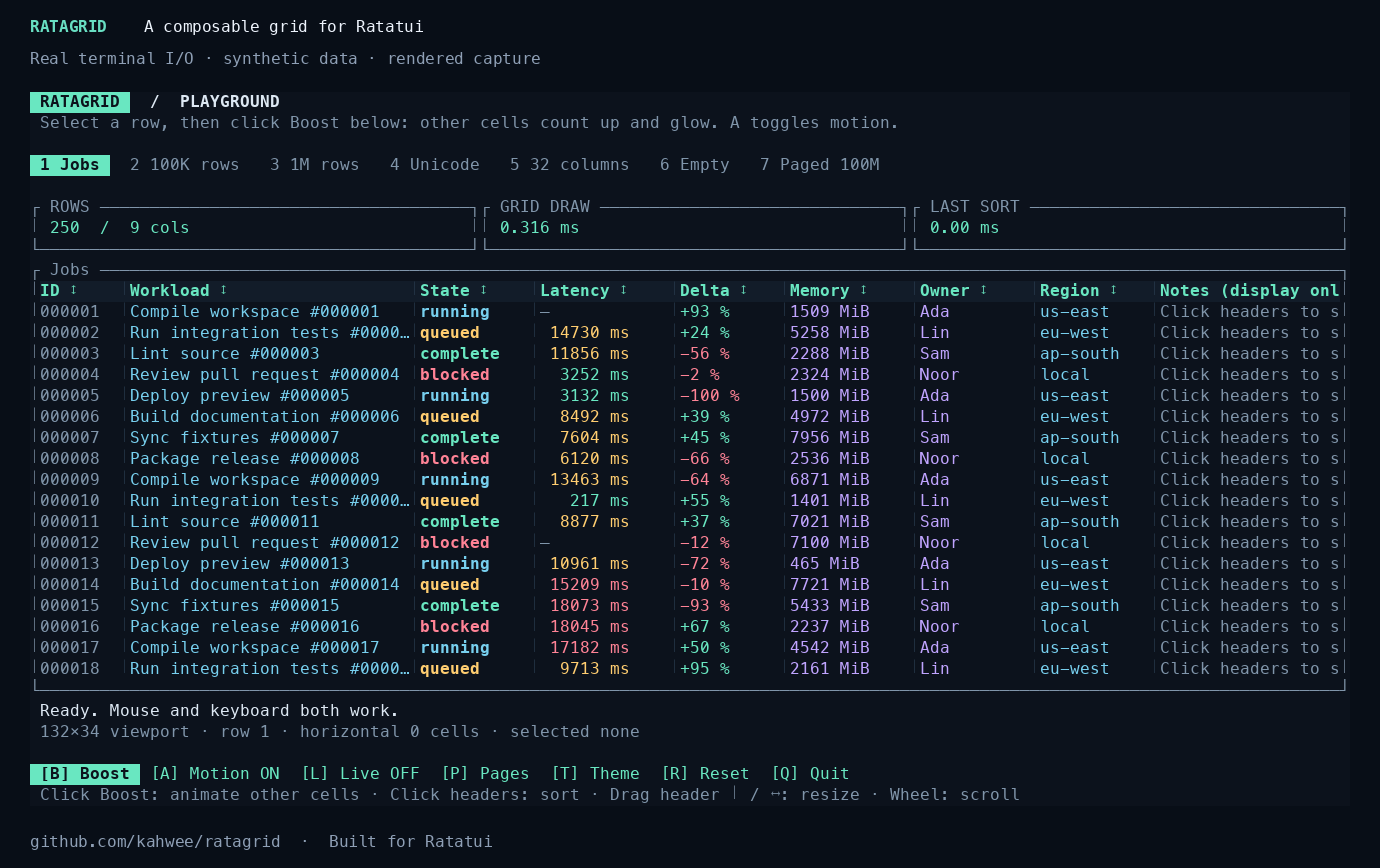
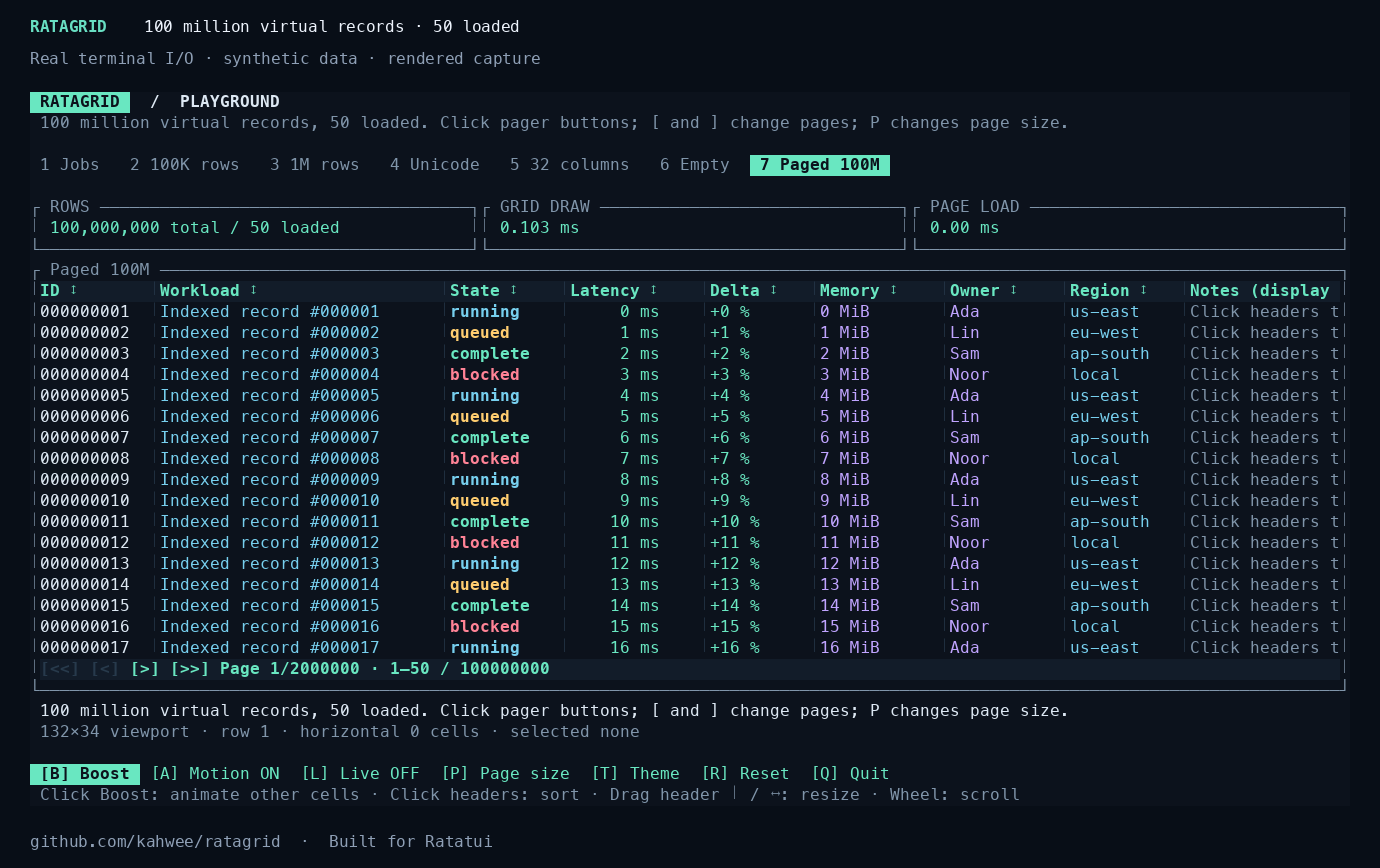
The tour selects a row, sorts Latency, resizes the ID column, browses a million resident rows, switches to Unicode and light theme, and pages a simulated 100-million-record source. The virtual source loads only one page; it does not allocate 100 million records.
Try it locally
Rust 1.99.1 and a terminal with mouse reporting are required. Ratagrid 0.5.0 is an independent widget for Ratatui 0.30.
git clone https://github.com/kahwee/ratagrid.git
cd ratagrid
cargo run --release --locked --example playground| Control | Action |
|---|---|
| 1–7 | Choose a scenario |
| Tab, Enter | Focus and sort a header |
| Arrows, click a cell | Move the row and cell cursor |
| Drag a separator, + / − | Resize a column |
| /, Enter, Escape | Search, apply, cancel |
| T · B · A | Theme · boost values · toggle motion |
| [ / ] · P · Q | Previous/next page · page size · quit |
Small details, large views.
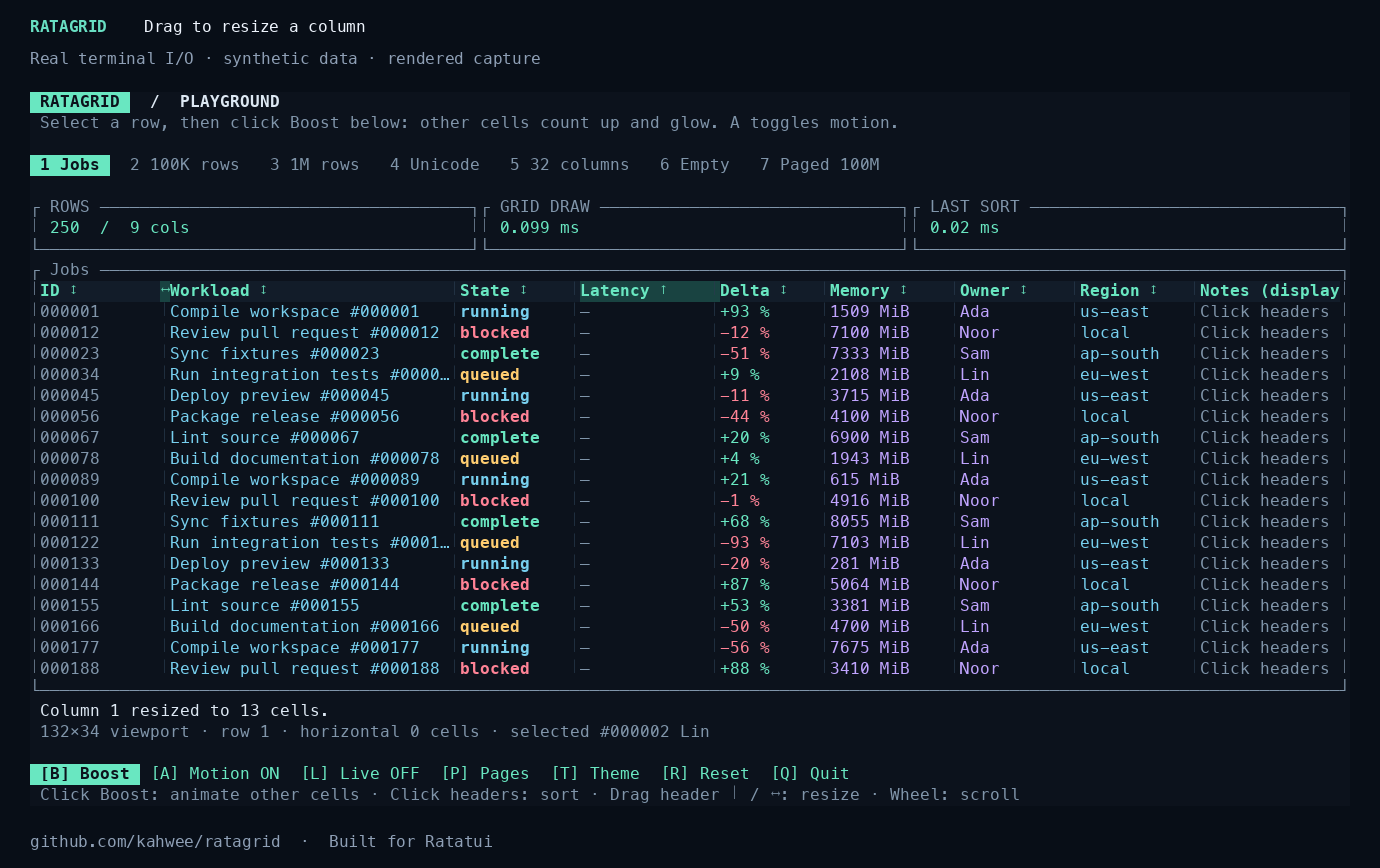
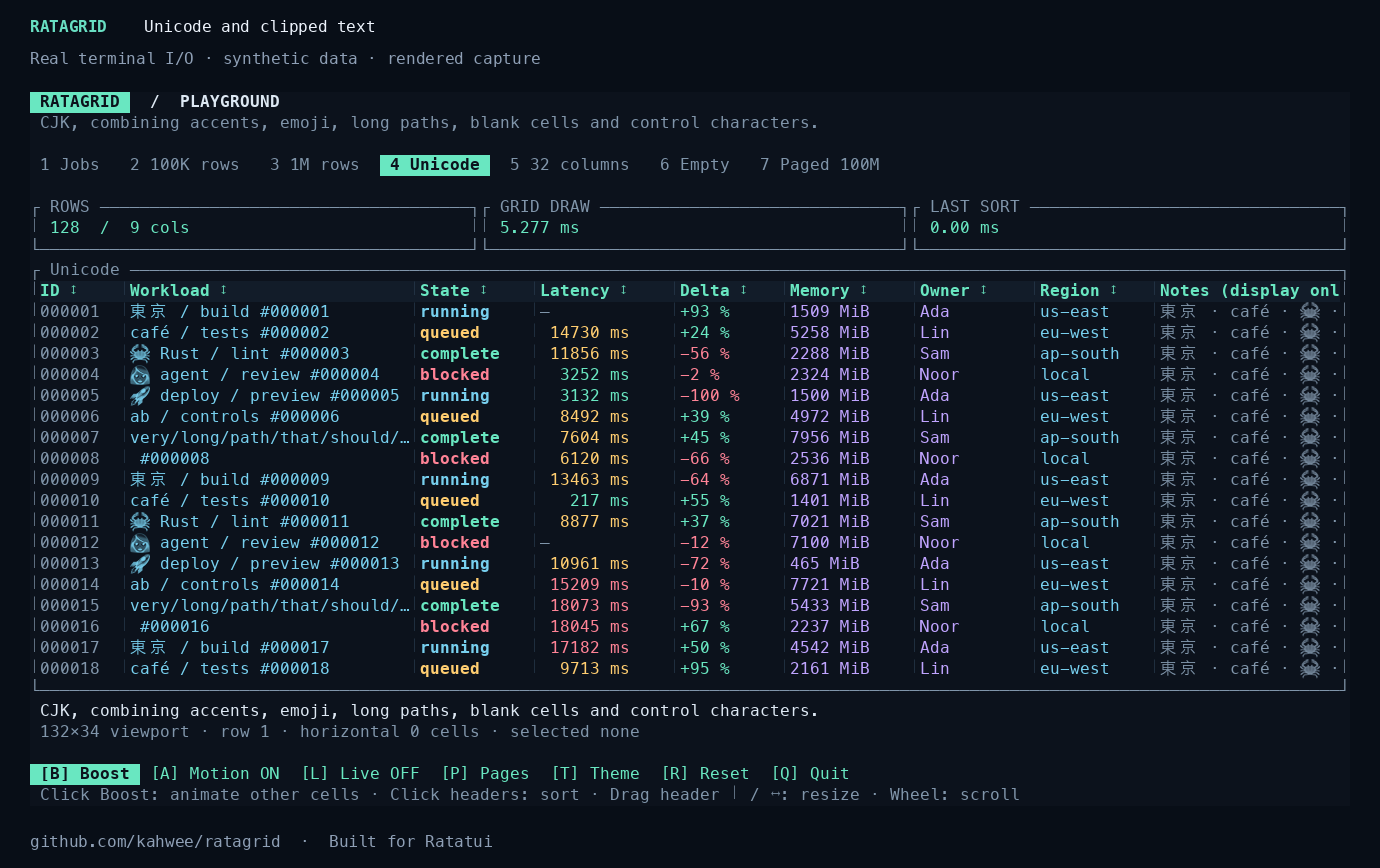
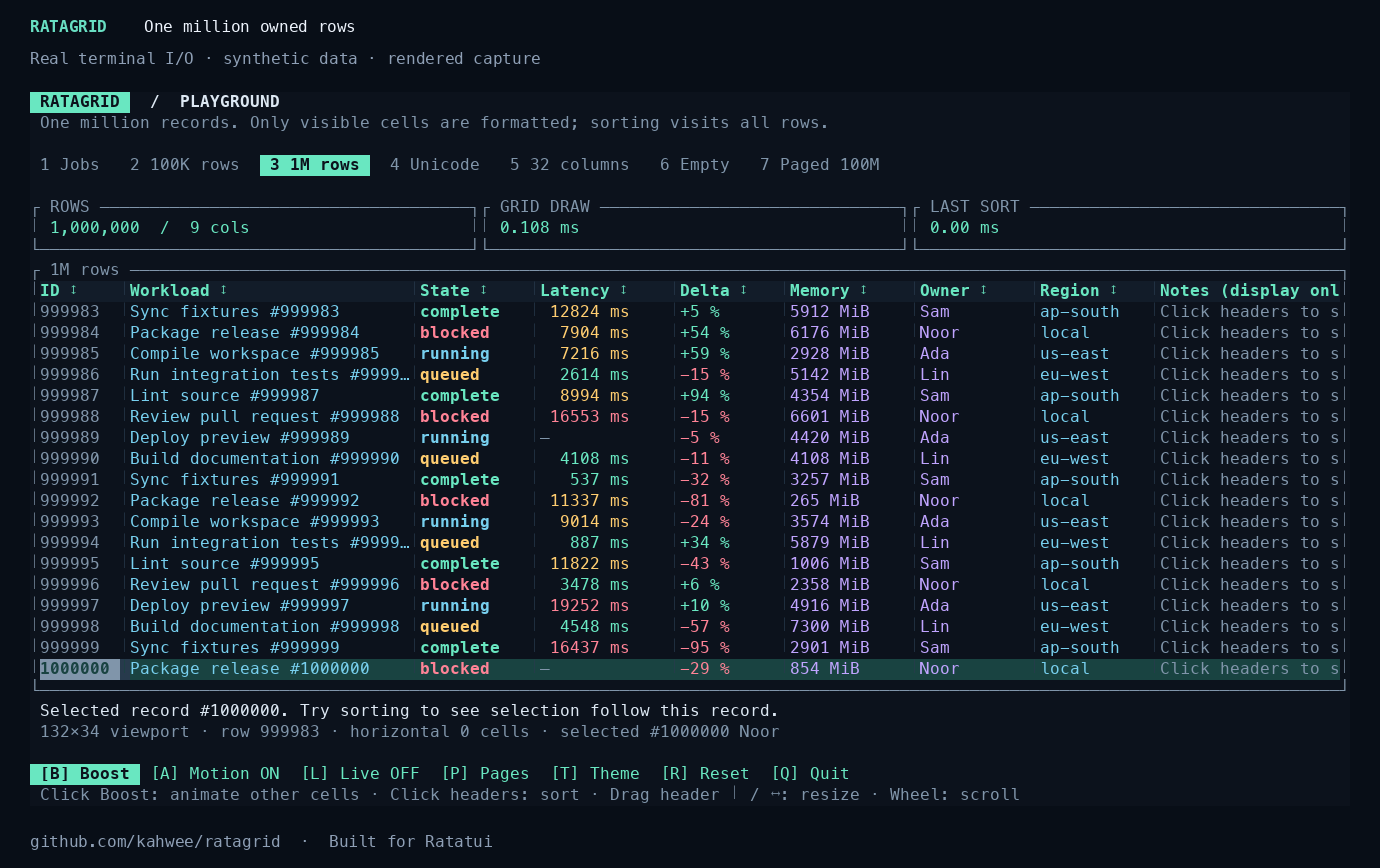
A complete runnable example
Use it with Ratatui.
Ratagrid is a widget inside your existing event loop. Your application owns terminal setup, focus, source I/O, clipboard writes, and cleanup. Render grid.widget(), then forward events with grid.handle_event(&event). Render again before the next mouse event so hit-testing uses the latest layout.
# In this checkout: exact source is examples/positions.rs
cargo run --locked --example positions
Version 0.3 adds bar-chart columns and faster rendering and sorted updates. See the cross-platform measurements. Version 0.2 adds optional full-value panels and native cursor/keyset pagination. See the release and migration notes; Action is now Clone rather than Copy.
The synthetic positions example keeps amounts in integer cents and changes in basis points. Comparators use numeric values; formatting and colors stay in the application. It covers negative amounts, integer limits, selection, and sorting. No real accounts or market data are included.
For a separate application, add these dependencies and save the example below as src/main.rs:
[package]
name = "positions-demo"
version = "0.5.0"
edition = "2024"

[dependencies]
ratagrid = "0.5"
ratatui = "0.30"
crossterm = "0.29"
Ratagrid 0.5.0 is available on crates.io with a versioned API reference and immutable GitHub source tag. Retain Cargo.lock for reproducible builds.
Show full Rust source
//! Synthetic positions: integer minor units and basis points, never real accounts.
use crossterm::{
    event::{
        self, DisableMouseCapture, EnableMouseCapture, Event, KeyCode, KeyEventKind, KeyModifiers,
    },
    execute,
};
use ratagrid::{Column, Grid};
use ratatui::{
    layout::{Constraint, Layout},
    style::{Color, Style},
    widgets::Paragraph,
};
use std::{io, time::Duration};

struct Position {
    id: u64,
    symbol: &'static str,
    value_cents: i64,
    change_bps: i64,
}

// Keep calculations in integer units; formatting cannot change numeric sorting.
fn money(cents: i64) -> String {
    let magnitude = cents.unsigned_abs();
    format!(
        "{}${}.{:02}",
        if cents < 0 { "-" } else { "" },
        magnitude / 100,
        magnitude % 100
    )
}
fn percent(bps: i64) -> String {
    let magnitude = bps.unsigned_abs();
    format!(
        "{}{}.{:02}%",
        if bps < 0 { "-" } else { "+" },
        magnitude / 100,
        magnitude % 100
    )
}
fn positions() -> Grid<Position> {
    let columns = vec![
        Column::new("Symbol", 16, |p: &Position| p.symbol.into())
            .sortable(|a, b| a.symbol.cmp(b.symbol)),
        Column::new("Value (USD)", 24, |p: &Position| money(p.value_cents))
            .sortable(|a, b| a.value_cents.cmp(&b.value_cents)),
        Column::new("Change", 16, |p: &Position| percent(p.change_bps))
            .sortable(|a, b| a.change_bps.cmp(&b.change_bps))
            .cell_style(|p| {
                Style::default().fg(if p.change_bps < 0 {
                    Color::Red
                } else {
                    Color::Green
                })
            }),
    ];
    Grid::new(
        columns,
        vec![
            Position {
                id: 1,
                symbol: "EXAMPLE-A",
                value_cents: 123_456,
                change_bps: 125,
            },
            Position {
                id: 2,
                symbol: "EXAMPLE-B",
                value_cents: 9_999,
                change_bps: -75,
            },
            Position {
                id: 3,
                symbol: "EXAMPLE-C",
                value_cents: -250,
                change_bps: 0,
            },
        ],
    )
    .with_row_id(|p| p.id)
}

fn main() -> io::Result<()> {
    let mut grid = positions();
    let mut terminal = ratatui::init();
    let result = (|| {
        execute!(io::stdout(), EnableMouseCapture)?;
        loop {
            terminal.draw(|frame| {
                let areas = Layout::vertical([
                    Constraint::Length(2),
                    Constraint::Min(1),
                    Constraint::Length(2),
                ])
                .split(frame.area());
                frame.render_widget(
                    Paragraph::new("Synthetic positions / Ratagrid + Ratatui"),
                    areas[0],
                );
                frame.render_widget(grid.widget(), areas[1]);
                frame.render_widget(
                    Paragraph::new("Tab + Enter: sort · Arrows: select · /: search · q: quit"),
                    areas[2],
                );
            })?;
            if !event::poll(Duration::from_millis(100))? {
                continue;
            }
            let event = event::read()?;
            if matches!(&event, Event::Key(k) if k.kind != KeyEventKind::Release && k.code == KeyCode::Char('q') && !k.modifiers.intersects(KeyModifiers::CONTROL | KeyModifiers::ALT | KeyModifiers::SUPER) && !grid.is_searching())
            {
                break;
            }
            // Route input here before application shortcuts while search owns focus.
            grid.handle_event(&event);
        }
        Ok(())
    })();
    let cleanup = execute!(io::stdout(), DisableMouseCapture);
    ratatui::restore();
    result.and(cleanup)
}
Choose a runnable example · Download the tested source · Source integration guide · Search and selection guide
Open sourcing one useful piece at a time.
I'm gradually open sourcing reusable components from a few small closed-source projects. Those projects have a strong terminal-interface focus. Ratagrid is one piece that can stand on its own and help other Ratatui applications.
The grid stays general-purpose. Financial tables can supply their own exact numeric types, formatting, and source logic; the component does not own financial calculations, persistence, or trading decisions.
Owned sorts and filters are synchronous. Equality-only keyed restoration scans rows per marked ID; use with_hashed_row_id for a single replacement scan and a temporary selected-key index. Batch updates rebuild owned ordering once. Prefer external pagination when datasets or frequent reloads exceed an interactive application's budget.